
How to fix ‘Regex not matched’ issue in Seo Panel <= 4.10.0

You can fix ‘Regex not matched‘ error in seo panel version <= 4.10.0 by following steps

1. Login as admin user and go to settings page.

Settings => Search Engine Manager => Sync Search Engines

2. Click on the button => “Sync Search Engines” like attached image.
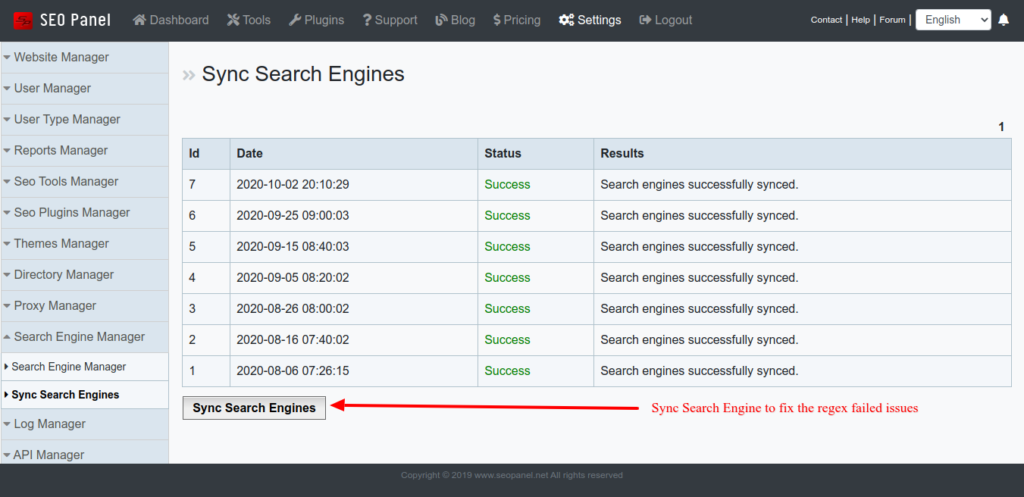
That will fix all the issues. Please contact us, if you face any issues with it.

Thanks for your support to Seo Panel project 🙂

How to fix google keyword position issue in Seo Panel version <= 3.0.2

Recently we found an issue to google keyword position reports of seo panel versions <= 3.0.2

Please check following forum link to fix this issue.


http://forum.seopanel.in/viewtopic.php?f=7&t=3281


Please update it and make your seo panel up to date.