AI Visibility
Overview
Traditional SEO tells you where you rank on Google. It says nothing about whether ChatGPT, Gemini or Google’s own AI Overviews ever mention you at all. AI Visibility is a dedicated suite, new in Seo Panel 7.0.0, that closes that gap - self-hosted, using your own API keys where a live AI call is involved, with nothing sent anywhere Seo Panel doesn’t already send it.
It covers one setup hub, an admin-only platform catalog, and seven tools:
AI Setup - one-time install of the tracking snippet, bot-collector script, and (optional) robots.txt / llms.txt rules
AI Visibility Summary - one blended score per website
AI Perception Check - ask real AI assistants what they know about your site
AI SERP Overview - track Google AI Overview citations for your tracked keywords
AI Referral Report - real traffic arriving from AI platforms
AI Bot Crawlers - which AI crawlers are visiting your site
Manage AI Platforms - admin-only catalog of every AI platform Seo Panel recognizes, driving the two reports above
AI Schema Markup Generator - structured data for AI engines to cite
AI Insights - a prioritized to-do list built from everything above
All of these are reached from Seo Tools => AI Visibility in the left menu. You’ll also find the AI Visibility email notification and AI Insights email notification toggles under Admin Panel => Reports Manager => Schedule Reports - they gate the weekly AI Visibility/AI Insights digest emails and the AI Visibility block in the periodic Overall Report Summary email, all sent by the same cron job that already generates your other scheduled reports.
AI Setup
The one-time installation hub for the whole suite - install this first, since the AI Referral Report and AI Bot Crawlers pages both start out empty until their matching piece here is in place.
Go to Seo Tools => AI Visibility => AI Setup, pick a Website
On the Setup tab, copy the tracking snippet and paste it into your site’s template (before
</head>or</body>) - this is what feeds the AI Referral ReportCopy the bot-collector script URL and have your site request it on every page load (a simple include works) - this is what feeds AI Bot Crawlers, since bots don’t execute the JS snippet
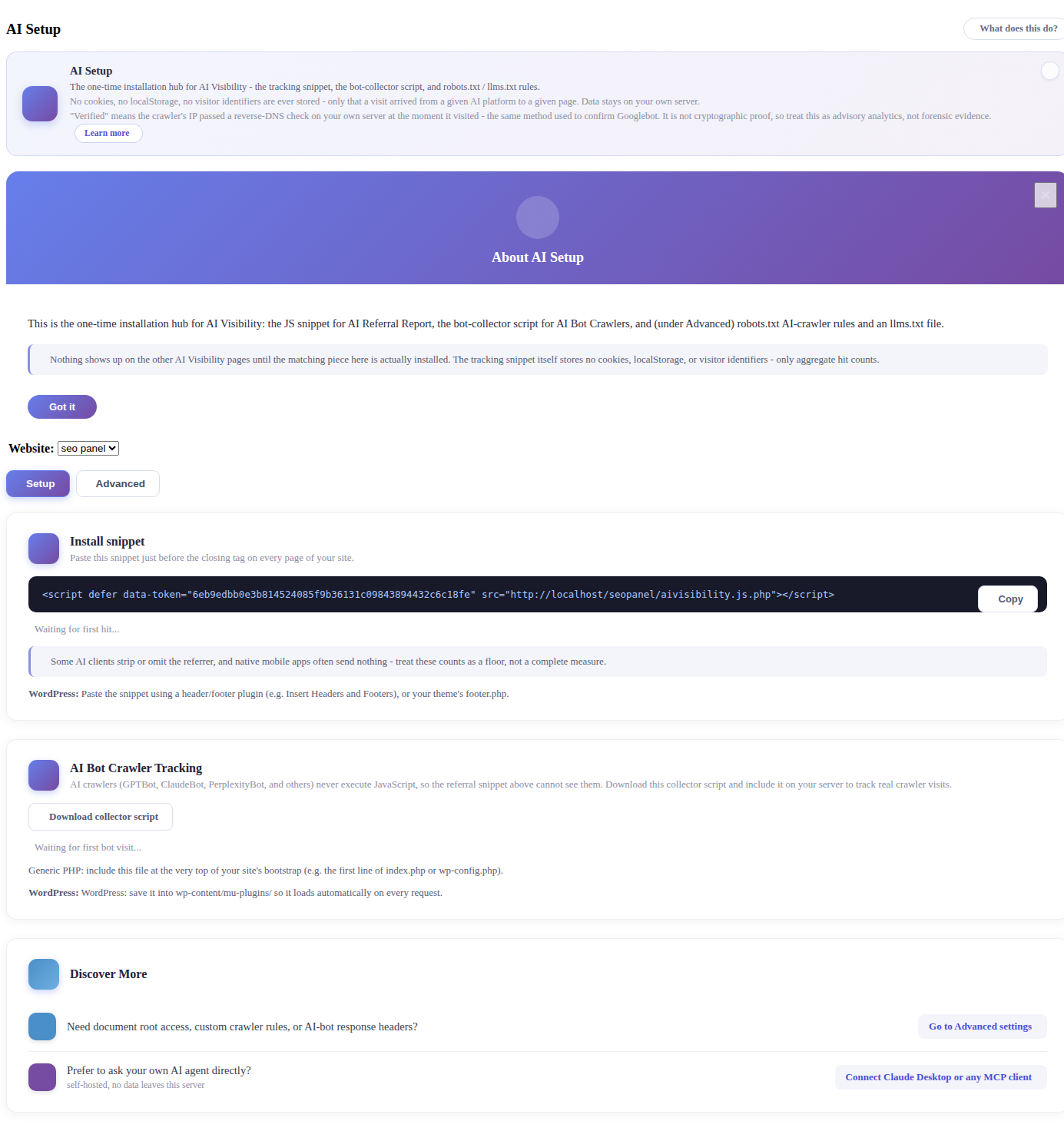
The tracking snippet stores no cookies, no localStorage and no visitor identifiers - only that a visit arrived from a given AI platform to a given page
If the website is a WordPress site SEO Panel can reach directly, it offers a one-click, zero-touch install of both pieces instead
Switch to the Advanced tab for everything else - all of it optional, and only usable once an admin has configured a writable Document Root Path (and, for the access-log-based checks, an Access Log Path) for this website under Server Access Configuration
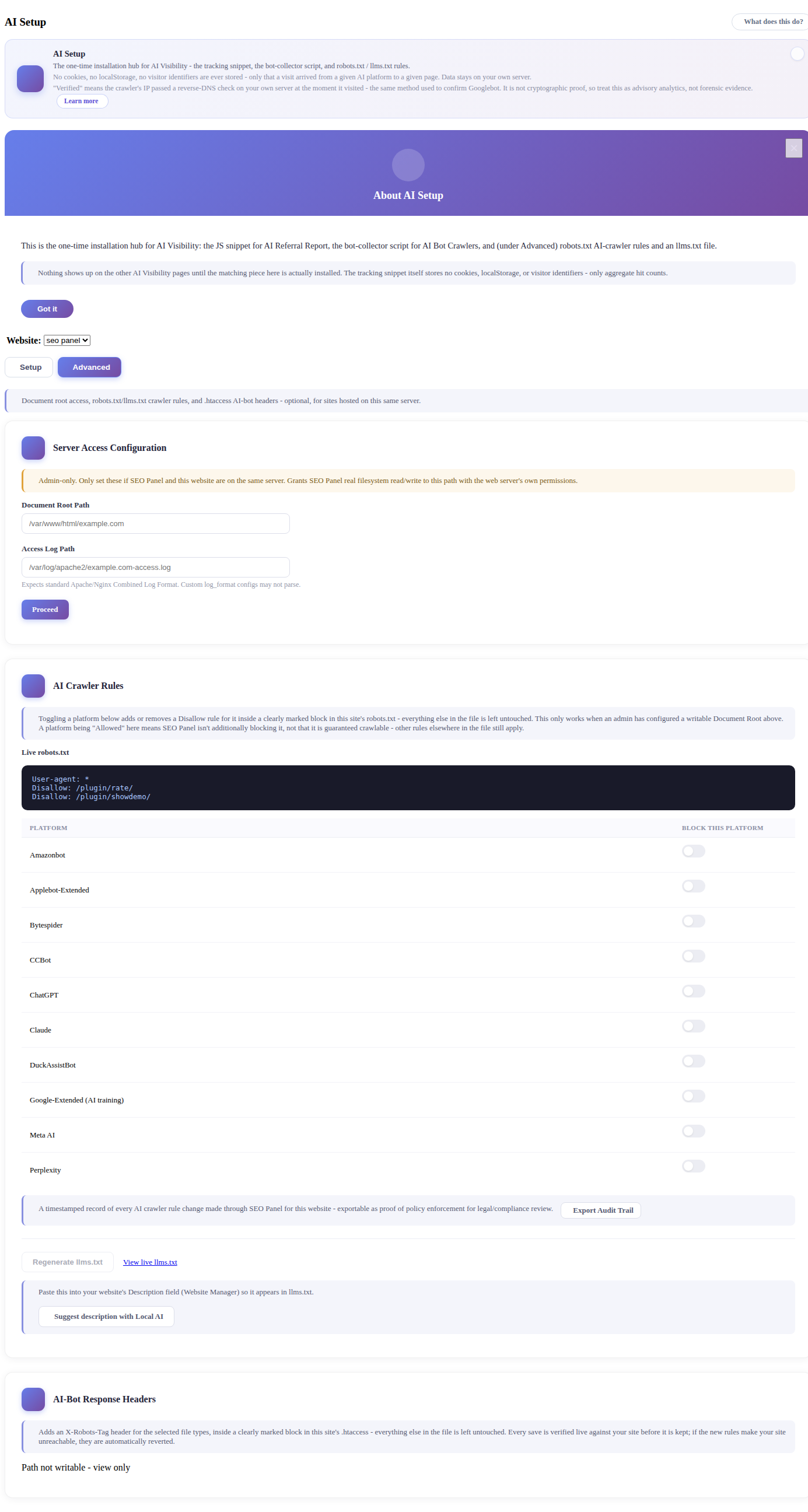
AI Crawler Rules toggles a Disallow rule per AI platform (ChatGPT, Claude, Perplexity, Google-Extended and others) inside a clearly marked block in the site’s live
robots.txt- everything else in the file is left untouched, and every change is recorded to an exportable audit trailRegenerate llms.txt builds an
llms.txtfile from data Seo Panel already has (title, description, crawled pages) - it refuses to overwrite a hand-authored one unless you confirmAI-Bot Response Headers adds an
X-Robots-Tagheader for selected file types via a managed block in the site’s.htaccess- every save is verified live against the site before it’s kept, and automatically reverted if it would make the site unreachable
AI Visibility Summary
This is the first thing you see under AI Visibility - a single blended score (0-100%) per website, rolled up from every other AI Visibility signal: AI bot crawling, AI Overview citation, AI Perception Check mentions, and AI-referred traffic. It also shows an AI Referral ROI card (sessions, conversions, conversion rate) when Google Analytics is connected.
Go to Seo Tools => AI Visibility => AI Visibility Summary
Pick a Website and a Period, then click Show Records
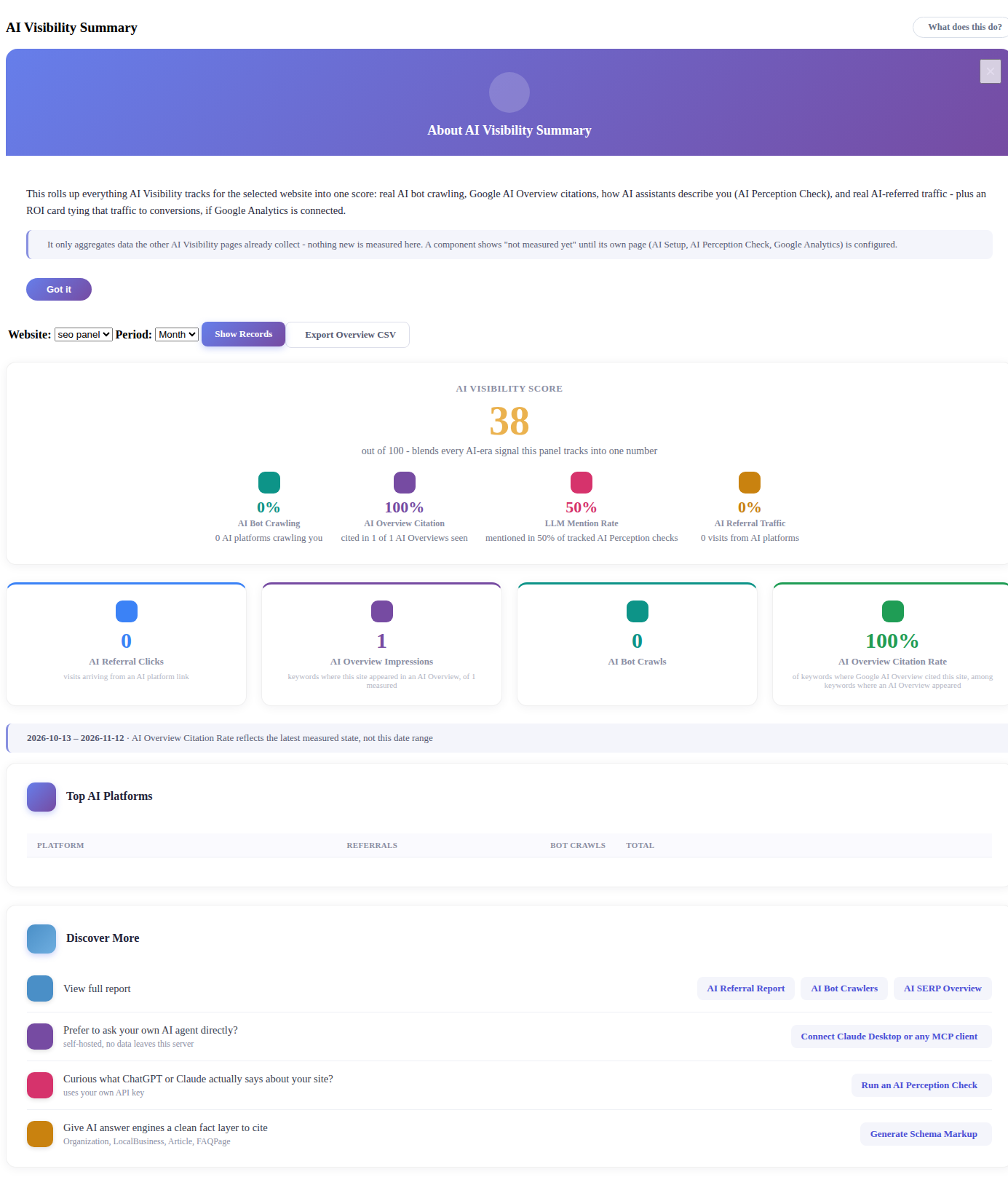
Each component card shows “not measured yet” until its own page is configured (AI Setup for the key, AI Perception Check, or Google Analytics)
This page only aggregates data the other AI Visibility pages already collect - nothing new is measured here
The Discover More panel links straight through to whichever component needs attention next - AI Perception Check, Schema Markup Generator, or MCP access for your own AI agent
AI Perception Check
Unlike the rest of AI Visibility, which works from data your site already generates, AI Perception Check sends a live question straight to a real AI provider - OpenAI (ChatGPT), Anthropic (Claude) or Google (Gemini) - using your own API key. Nothing is cached or guessed.
Ask
Go to Seo Tools => AI Visibility => AI Perception Check, Ask tab
Pick a website and click Ask <Provider> for any provider you’ve configured a key for
If you’ve already added competitors under Scheduled Tracking, the same Share of Voice card shown there also appears here once you’ve asked at least one question
Setup
Open the Setup tab and add the API key(s) for the providers you want to ask
Scheduled Tracking
Save a prompt once and Seo Panel asks it again automatically every week, so you can watch the answer - and its sentiment - change over time. You can track up to 10 prompts per website, checked at most once every 7 days, against every AI provider you have a key for.
Open the Scheduled Tracking tab and add a prompt to track weekly
Add competitors (name + optional domain) to compare Share of Voice - whether each competitor is mentioned in the same tracked responses as you, checked against responses already fetched, with no extra API calls
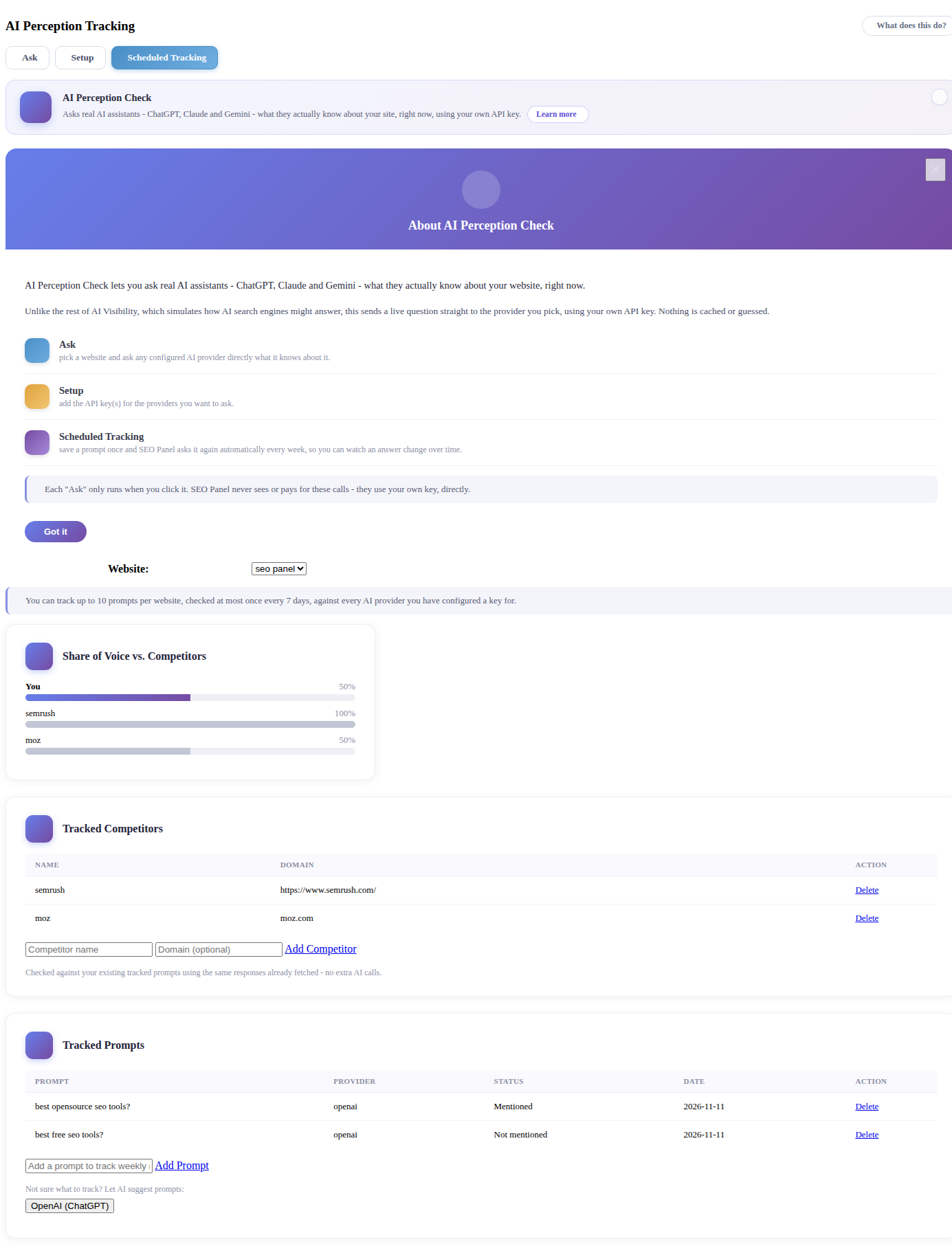
Mentioned / Not mentioned - whether the response contains your website’s name or domain
A sentiment icon (positive / neutral / negative) appears next to Mentioned results
Click the eye icon next to any result to read the AI’s full response
AI SERP Overview
Runs alongside your existing Keyword Position Checker and flags which of your tracked keywords actually trigger a Google AI Overview.
Go to Seo Tools => AI Visibility => AI SERP Overview
Pick a Website and Period, then click Show Records
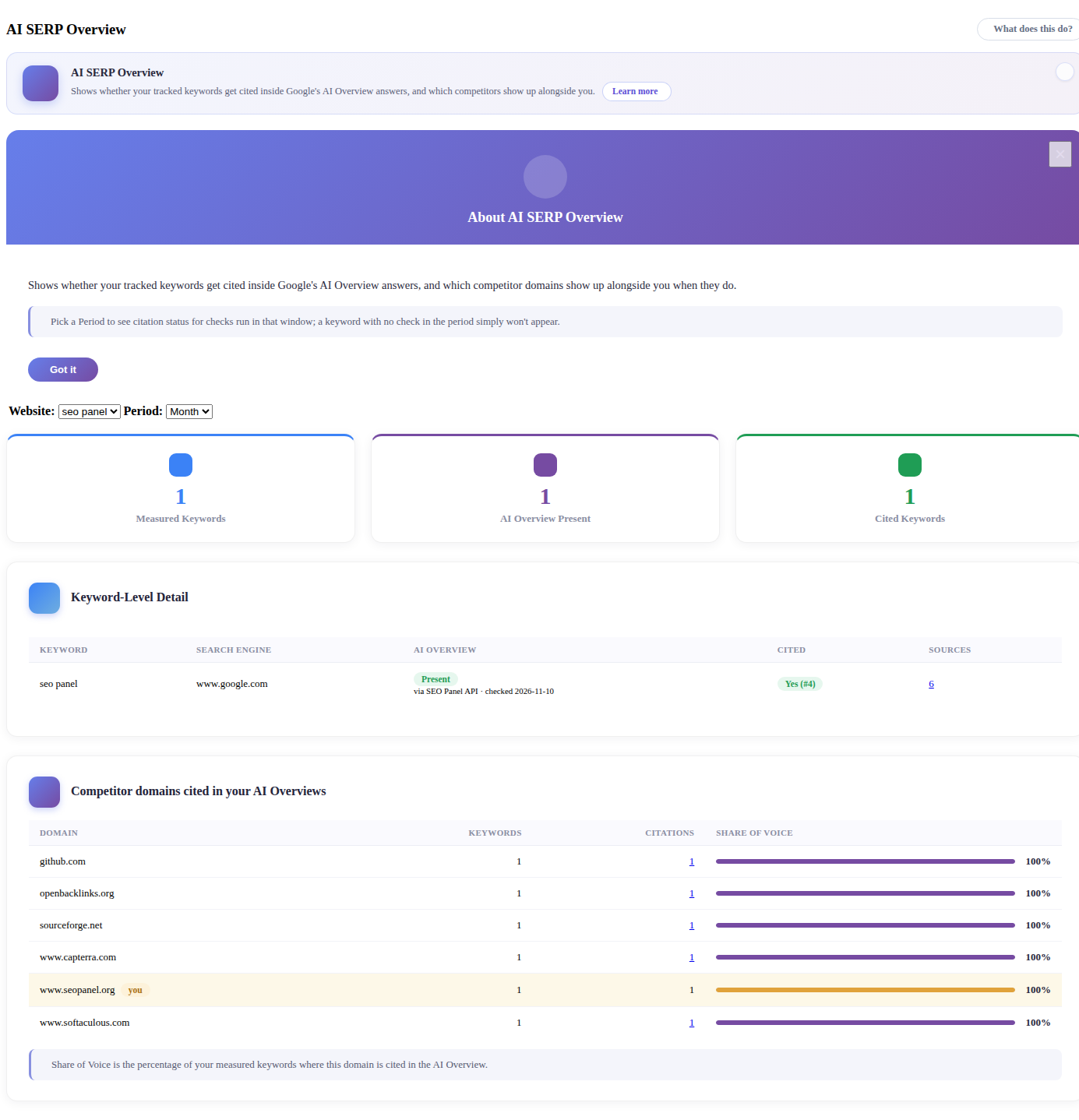
Keyword-Level Detail shows whether an AI Overview is present for that keyword, and whether you’re cited among its sources
Competitor domains cited in your AI Overviews ranks every other domain appearing in the same AI Overviews, with a Share of Voice bar so you can see at a glance who dominates a given keyword’s AI Overview
Needs SERP Checker enabled under Settings => DataForSEO Settings or Settings => Seo Panel API Settings - the same AI Overview data also appears on SERP Results Archive and the AI Overview/Search Volume columns of Keyword Position Summary
AI Referral Report
Reads straight from your connected Google Analytics data to show real visits that clicked through from a link on an AI platform like ChatGPT or Perplexity.
Go to Seo Tools => AI Visibility => AI Referral Report
Pick a Website and Period, then click Show Records
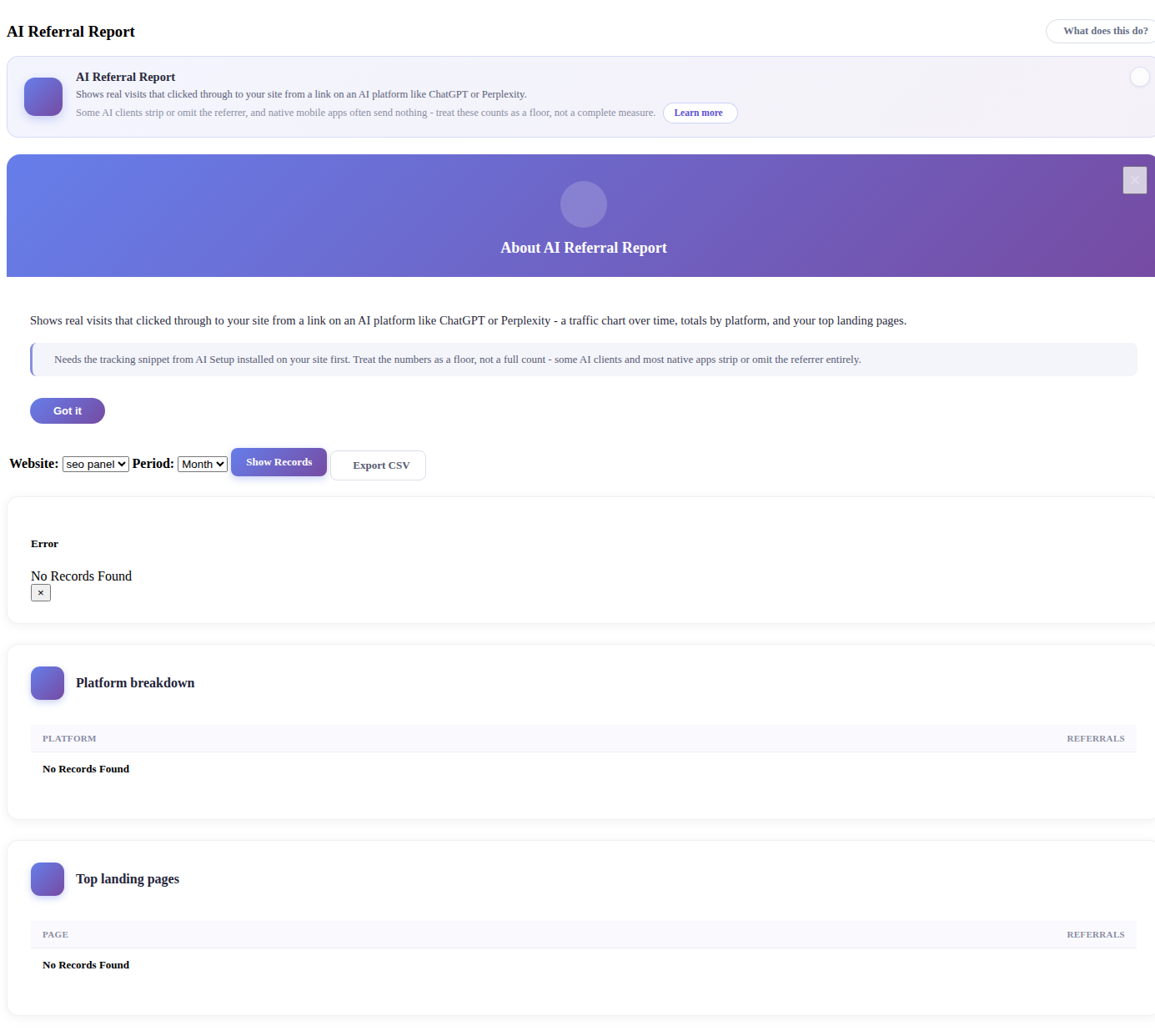
Needs the tracking snippet from AI Setup installed on your site first
Treat the counts as a floor, not a complete measure - some AI clients and most native apps strip or omit the referrer entirely
Platform breakdown and Top landing pages tables are included below the summary
AI Bot Crawlers
Tracks actual AI crawler bots - GPTBot, ClaudeBot, PerplexityBot and others - visiting your site to read and index it. Since bots don’t run JavaScript, this is measured separately from the AI Referral Report’s click-through traffic.
Go to Seo Tools => AI Visibility => AI Bot Crawlers
Pick a Website and Period, then click Show Records
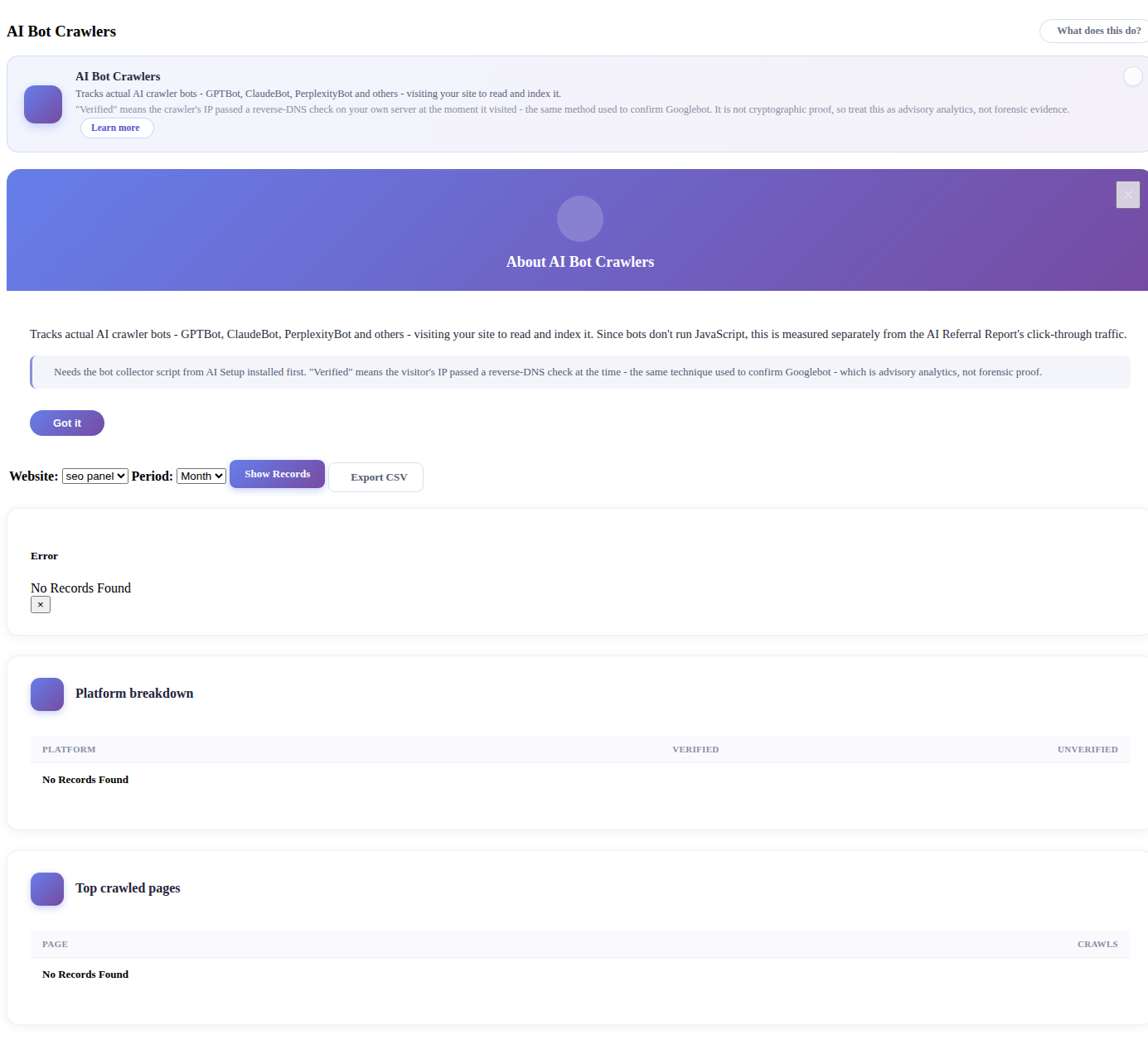
Needs the bot collector script from AI Setup installed first
Verified means the crawler’s IP passed a reverse-DNS check on your own server at the moment it visited - the same method used to confirm Googlebot. Treat it as advisory analytics, not forensic proof
Platform breakdown and Top crawled pages tables are included below the summary
Manage AI Platforms
New in Seo Panel 7.0.0, admin-only. The catalog every other AI Visibility tool matches against - hostnames, bot user-agent patterns and robots.txt tokens for ChatGPT, Perplexity, Google-Extended and the rest. This is what actually drives the matching behind AI Referral Report and AI Bot Crawlers, and what populates the per-platform toggle list on AI Setup’s robots.txt rules.
Go to Seo Tools => AI Visibility => Manage AI Platforms (admin only)
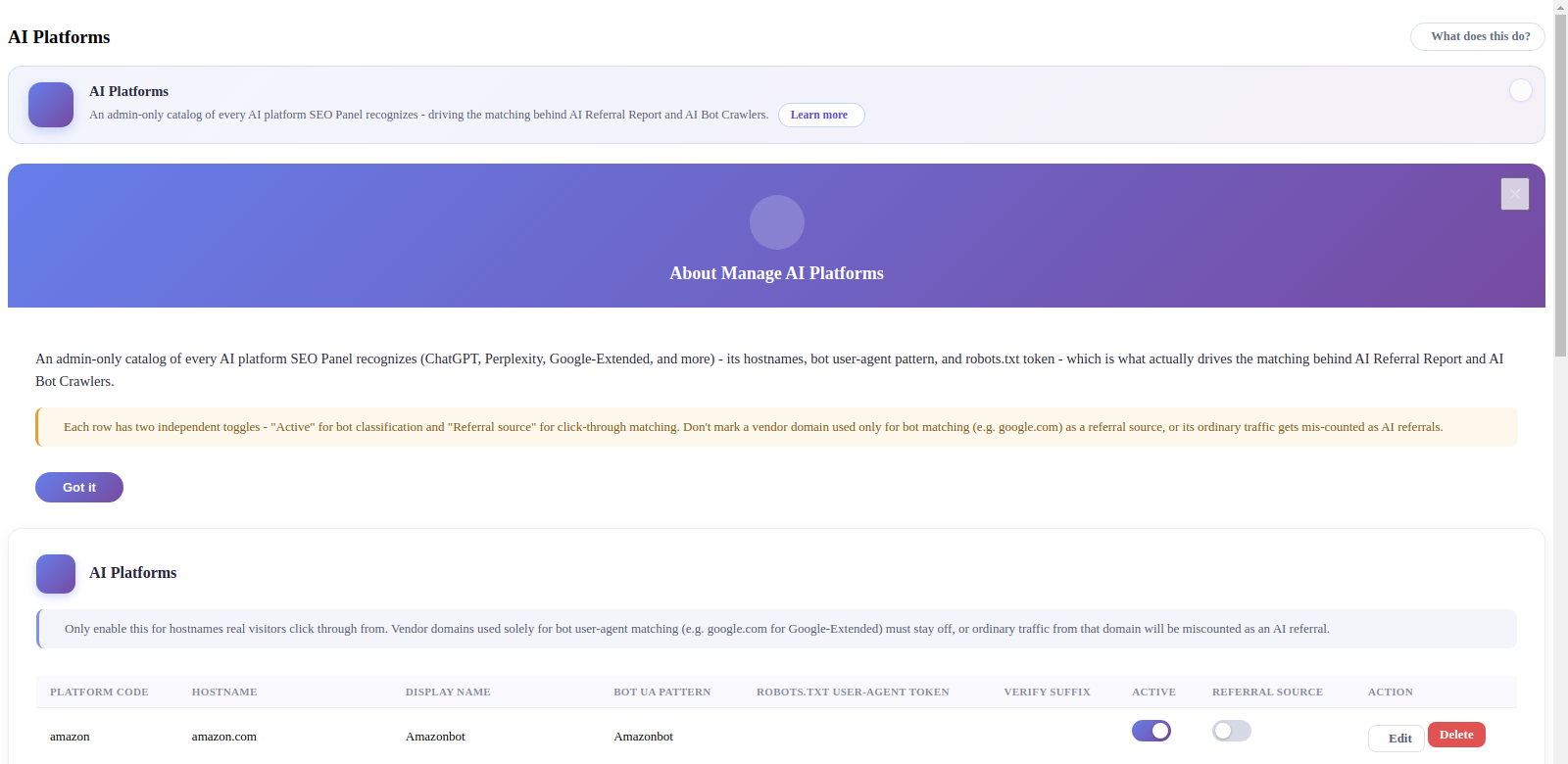
Active - Whether this platform is matched at all, for bot classification on AI Bot Crawlers
Referral Source - Whether click-through traffic from this hostname counts as an AI referral on AI Referral Report. Keep this off for a vendor domain used only for bot matching (Eg:
google.comfor Google-Extended) - otherwise that domain’s ordinary traffic gets mis-counted as AI referralsEdit / Delete an existing row, or use Add Platform below the table for one not already listed
Add Platform to track a new AI crawler or referral source Seo Panel doesn’t already recognize
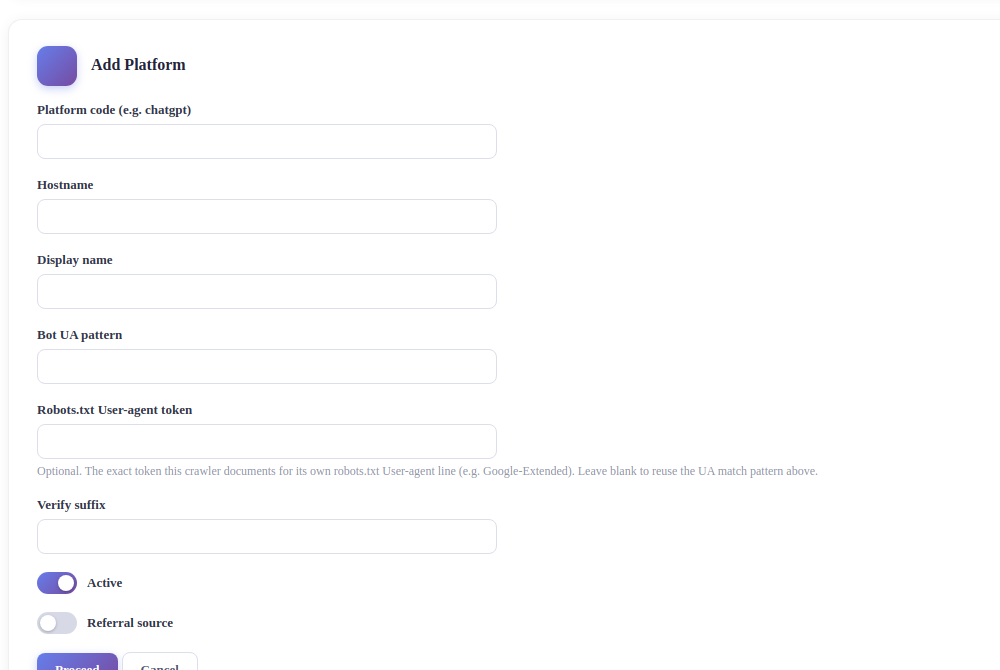
Platform code - A short internal key, Eg:
chatgptHostname - The domain to match, Eg:
chat.openai.comDisplay name - Shown throughout the AI Visibility reports, Eg:
ChatGPTBot UA pattern - The substring to match in the crawler’s User-Agent header for bot detection, Eg:
GPTBotRobots.txt User-agent token - Optional. The exact token this crawler documents for its own
robots.txtUser-agent:line, Eg:Google-Extended. Leave blank to reuse the Bot UA pattern aboveVerify suffix - Optional. The hostname suffix used for the reverse-DNS verification check shown as Verified on AI Bot Crawlers
AI Schema Markup Generator
Builds Schema.org structured data (JSON-LD) for your site - the machine-readable “fact layer” that AI answer engines and search engines read to understand who you are and what your page is about. Nothing here is sent anywhere - it only runs on this server.
Go to Seo Tools => AI Visibility => AI Schema Markup Generator
Pick a Website and a Schema Type - Organization, LocalBusiness, Article or FAQPage
Fill in the details for that type (name, URL, address, questions and answers, whatever that type needs), then click Generate
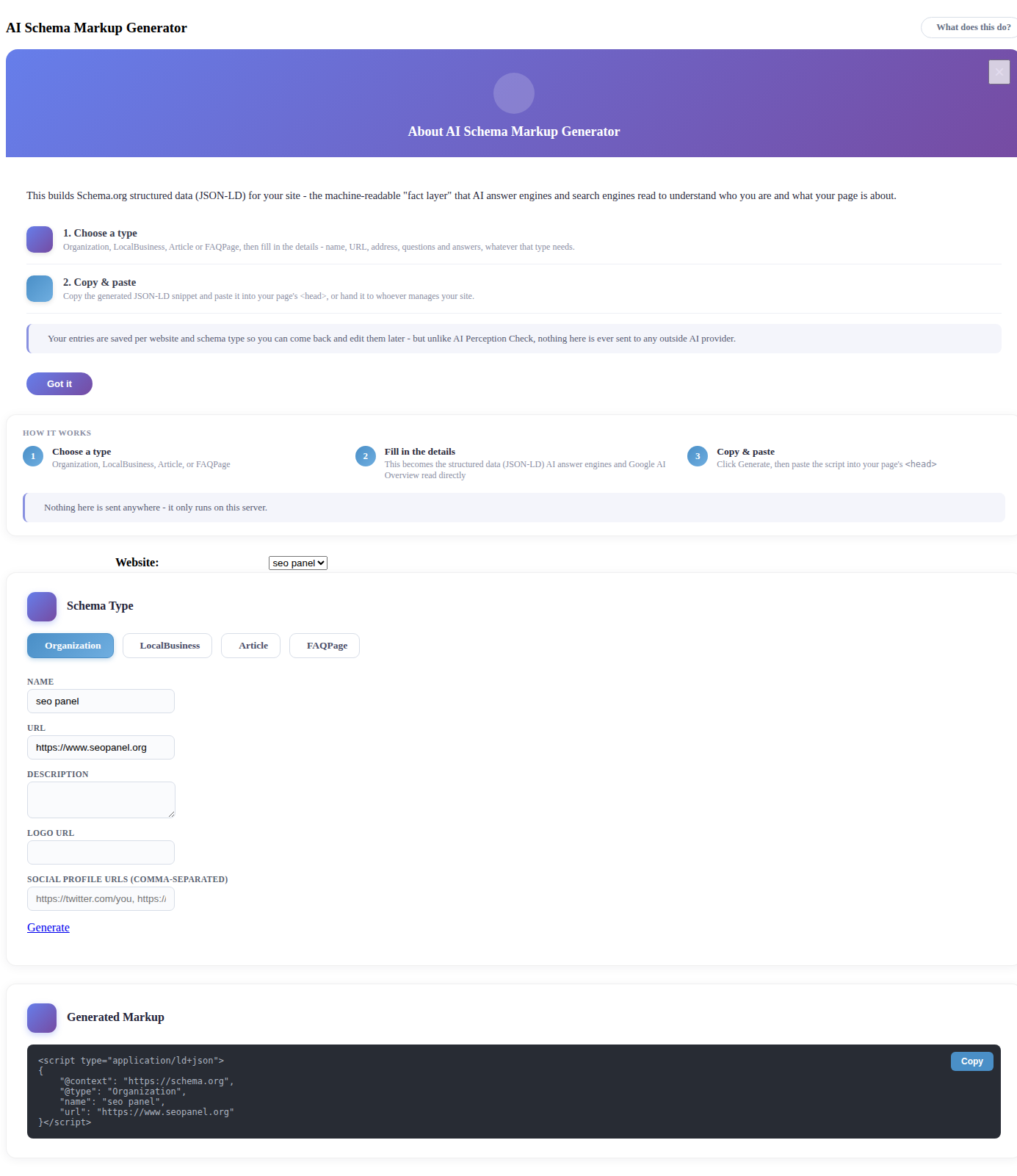
Copy the generated
<script type="application/ld+json">snippet and paste it into your page’s<head>, or hand it to whoever manages your siteYour entries are saved per website and schema type, so you can come back and edit them later
AI Insights
A prioritized to-do list for improving this site’s AI visibility - errors, warnings and to-dos - built from data every other Seo Panel tool already collects (Site Auditor, AI Visibility, Schema Generator and more). No new checks run for this; it’s pure analysis of data you already have.
Go to Seo Tools => AI Visibility => AI Insights
Pick a Website. Insights refresh automatically once a day, or on demand with Refresh AI Insights
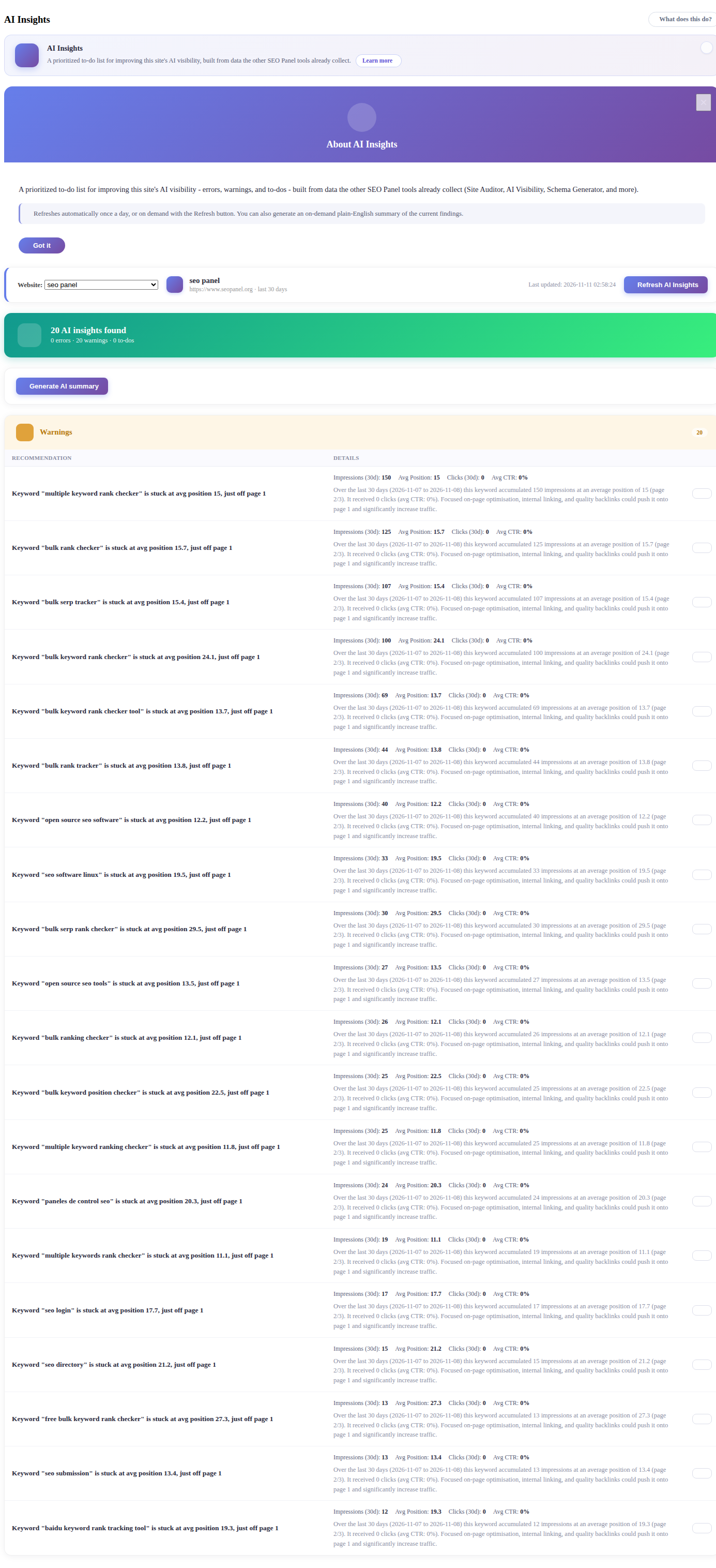
Click Generate AI summary for an on-demand, plain-English summary of the current findings
Each row links straight through to the detail behind it (a keyword’s Search Console stats, a Site Auditor issue, and so on)